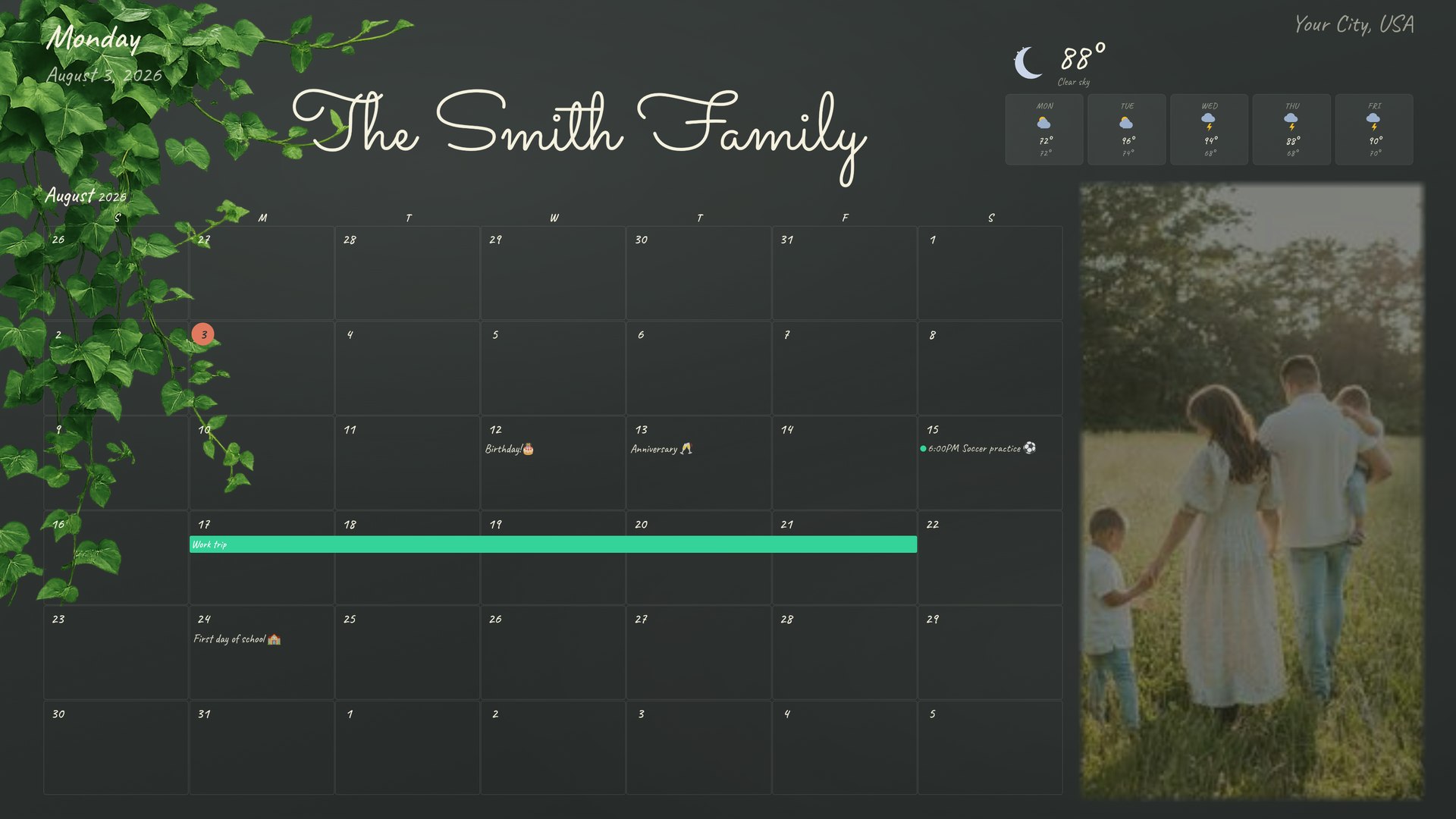
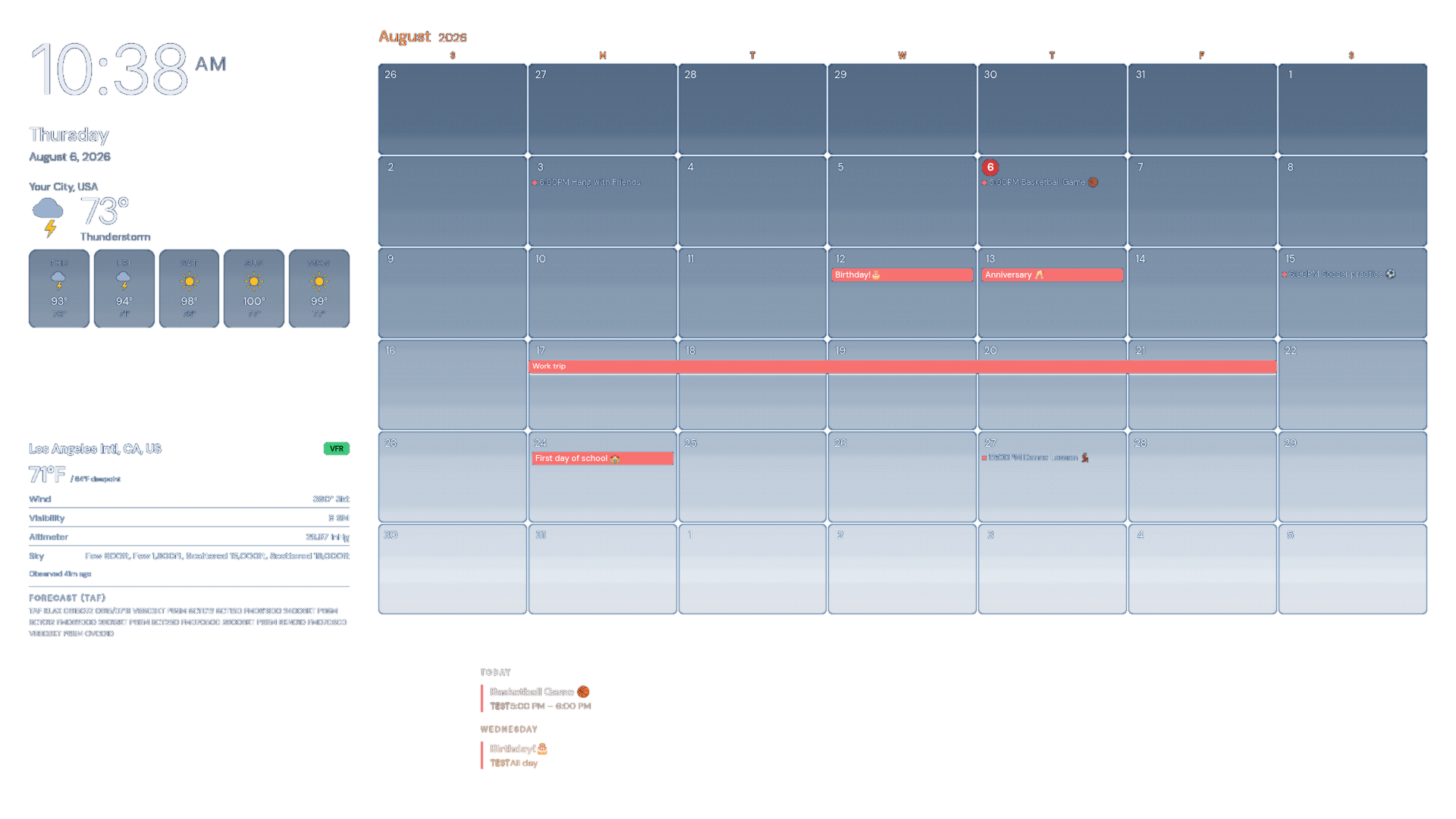
A calendar that lives on your wall, not in the cloud
Piazza HQ turns a Raspberry Pi or a spare Windows PC into an always-on, beautifully animated wall display for your schedule, chores, and photos — or run it headless on a NAS or home server you already have, managed entirely from your phone. Runs entirely on hardware you own; nobody else's servers hold your data.
No monthly fee. No ads. Keeps working even if your internet drops.
No install, no signup
Try it before you set it up
Open a real, private copy of Piazza HQ in your browser for a few
minutes — rearrange widgets, switch themes, poke around every tab.
It resets for the next person when you're done.
Fireworks on the 4th, snow at Christmas, a twilight sky for the aviation theme — each one is animated, not just a color swap, with a size and density you control.
17 more and counting
Switch anytime — no reinstall, no reboot.
Setup
On your wall in under 15 minutes
No cloud account to configure, no monthly hosting to manage — pick what you're installing it on, the whole thing runs there.
1
Get a Raspberry Pi
Any Raspberry Pi 4 or later works. Pair it with any HDMI screen or a cheap wall-mounted monitor.
2
Install Piazza HQ
One installer script sets up everything — the app, the display, and automatic updates.
3
Mount it and invite everyone in
Everyone manages events, chores, and photos from their phone's browser — no app required.
1
Download the installer
One .exe, no admin rights needed — it installs to your own user folder, not Program Files.
2
Pick control device or wall display
One wizard checkbox: a normal windowed app for managing things, or full-screen kiosk mode that starts automatically at sign-in.
3
Invite everyone in
Same as the Pi from here — everyone manages events, chores, and photos from their phone's browser.
1
Add it to your server
One docker-compose.yml — drops in alongside whatever else you already run on that NAS, mini PC, or home server.
2
docker compose up -d
One command. No separate install script, no OS packages to manage — Docker Engine is the only prerequisite.
3
Run it headless
No screen needed — manage everything from your phone or laptop browser. Add a real display anytime later by just pointing one at it.
Every layout you build has a shareable link. Scan a QR code on a second
screen — an old iPad, a Fire Stick or Chromecast's browser, a spare monitor
on a cheap streaming box — and it shows your calendar too. No second Pi to
buy, no separate install.
📺
Any screen with a browser
If it can open a web page, it can be a display — tablet, streaming stick, old laptop propped in the kitchen.
🔗
Same layout, or its own
Show the exact same wall display, or build a second layout just for that screen — a kids' room version, a kitchen-only view.
📡
Works from anywhere with Tailscale
On the same Wi-Fi, it just works. On a different network — a tablet you move between rooms — add Tailscale and it keeps working.
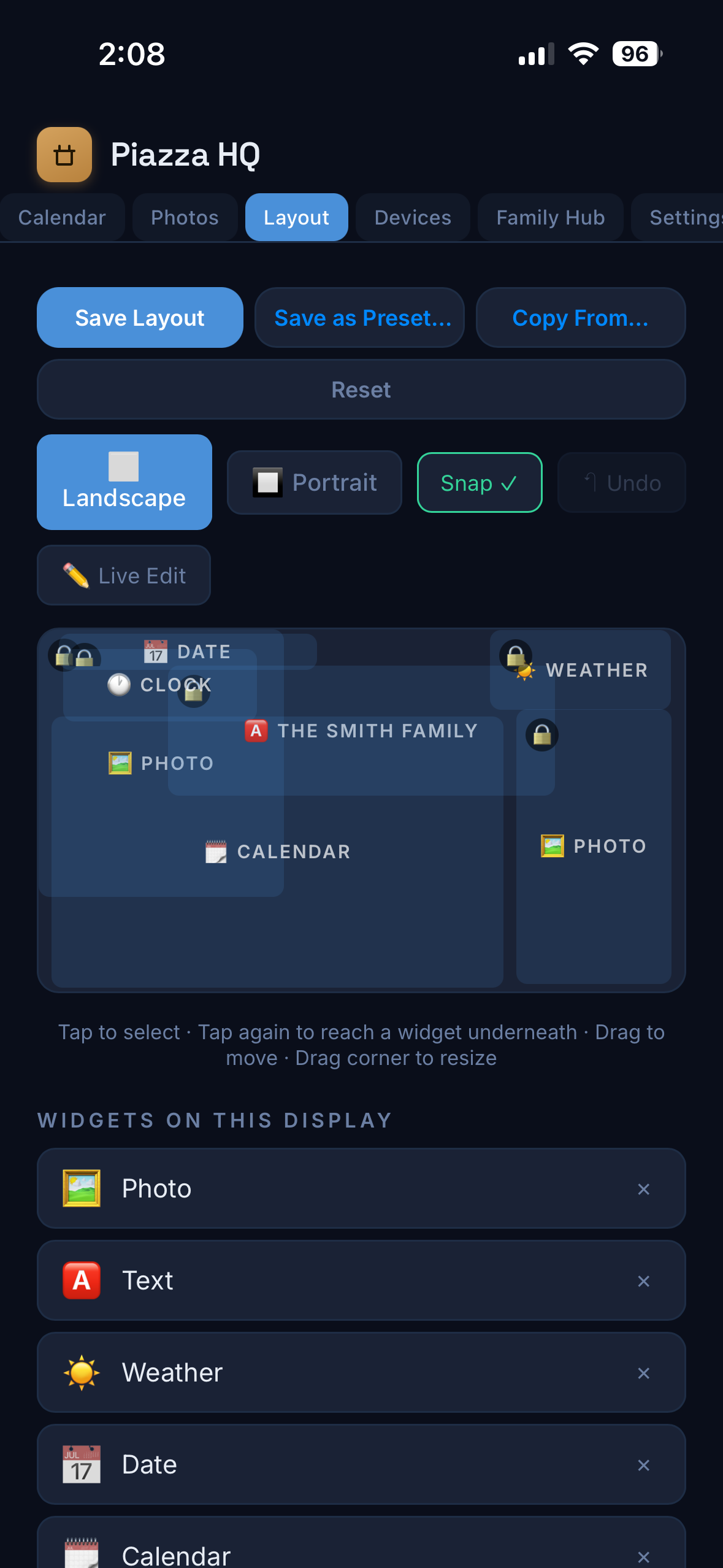
Move a widget, resize it, swap in a new one — do it from your phone's browser across the room, or by walking up and touching the actual display. Same layout either way, saved instantly.
No app needed
Manage it all from your phone's browser
Drag widgets around, resize them, swap themes — right from Safari or Chrome on your phone. Nothing to download, nothing to update separately.
✏️ Live Editing
Or just tap the screen itself
Tap the display, tap the pencil icon that appears, and you're editing live — drag widgets, resize them, add new ones, right on the wall. No phone required, nothing to log into.
Built out of frustration with someone else's config file
I started out on MagicMirror — the open-source smart mirror project a lot of Pi hobbyists know well. It's a solid foundation, but living with it meant near-constant babysitting: third-party add-ons that broke with every update, and a config file that increasingly felt like its own small programming language just to nudge a widget a few pixels.
After one too many evenings debugging someone else's abandoned module, I built my own version instead — one where changing a layout means dragging a widget on a screen, not hand-editing JSON and hoping.
Piazza HQ is that project, grown into something worth sharing.
Get Started
Free to use.
Set it up on your own Raspberry Pi and keep it running for as long as you want. No recurring payment, no time limit.
Piazza HQ
Free
Every current theme, widget, and template
New releases as they ship
Runs entirely on hardware you own
Unlimited family members, unlimited screens
Save this key. Already installed? Paste it into Settings → Version & License. Not yet? Just use this same email during setup — no need to enter the key by hand.
⏱ Set up within 7 days — a key that's never actually been installed anywhere gets automatically removed after that. Already installed? This doesn't apply to you; it's only ever about keys that were never used at all.
Since it's free, we also ask that you keep using it: if an account sits inactive for 30 days, it gets deleted too.
We'll only use this email for setup help — no spam. Keys that go unused for 7 days, or accounts inactive for 30 days, are automatically removed.
How it's funded
Free, and meant to stay that way
There's no catch. Piazza HQ is one person's nights-and-weekends project, and it's free on purpose — no subscription, no account tiers, no ads, and no "Pro" version waiting in the wings to charge you later.
It runs on donations from people who find it useful. If it earns a spot on your wall and you want to chip in, there's a link in the app under Settings → Support the Project — or right here. Completely optional, and it doesn't unlock anything. It just covers the time and the coffee that keep this going.